

How Payroll Software Simplifies Salary Processing with Employee Salary Groups
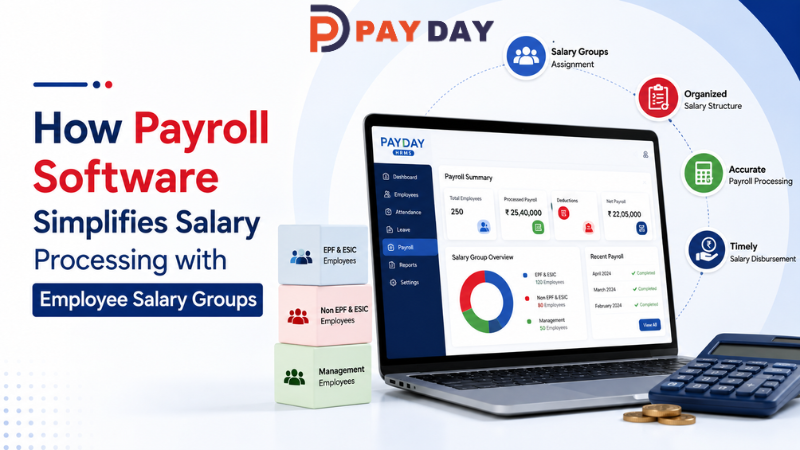
Salary processing becomes increasingly complex as a business grows. Employees may have different salary structures, allowances, deductions, working arrangements and statutory applicability. Managing these differences manually can make payroll preparation time-consuming and increase the possibility of inconsistencies.
This is where payroll software and employee salary groups can help.
Salary groups allow businesses to organize employees according to relevant salary structures and payroll requirements. For example, employees for whom EPF and ESIC are applicable can be assigned to an appropriate salary group, while employees with different applicability can be placed in another group.
Once employees are assigned to the relevant salary groups, payroll teams can use these predefined structures while generating salaries.
This creates a more organized process:
Employee Management → Salary Group Assignment → Attendance & Leave → Salary Calculation → Deductions → Payroll Generation → Reports
What Is a Salary Group in Payroll?
A salary group is a way of categorizing employees who share similar salary structures or payroll rules.
Different groups may be created according to an organization's requirements, such as:
- Salary structure
- Allowances
- Deductions
- EPF applicability
- ESIC applicability
- Employee category
- Department or other internal classifications
For example, a business may maintain separate salary groups for employees based on their applicable payroll structure.
Instead of configuring every employee individually during every payroll cycle, HR or payroll teams can assign employees to the appropriate salary group.
This can make recurring salary processing more organized.
Why Salary Group Assignment Matters in Payroll
Not every employee necessarily has the same salary structure or payroll requirements.
Consider a growing organization with hundreds of employees. Some employees may have one salary structure, while others may have different allowances, deductions or statutory applicability.
If payroll teams manually configure these differences every month, the process can become repetitive.
Salary group assignment provides a structured way to categorize employees before salary generation.
The basic workflow can be:
Define Salary Groups → Assign Employees → Review Employee Data → Process Payroll
This helps payroll teams work with predefined employee categories instead of repeatedly setting up similar payroll information.
1. Organizing Employees into Relevant Salary Groups
The first step is to define salary groups according to the organization's payroll requirements.
For example, a company may maintain groups for employees with different salary structures or statutory applicability.
Once the groups are created, employees can be assigned to the appropriate group.
This creates a clear relationship between:
Employee → Salary Group → Salary Structure → Payroll Calculation
The exact grouping structure depends on the company's payroll policies and applicable rules.
2. Managing EPF and ESIC Applicability
Statutory deductions are an important part of payroll processing for eligible employees.
Depending on employee eligibility and applicable rules, businesses may need to consider EPF and ESIC while processing salaries.
Managing employees through appropriate salary groups can help payroll teams identify employees with different statutory applicability.
For example:
Salary Group A → Employees with applicable EPF/ESIC configuration
Salary Group B → Employees with different statutory applicability
This approach helps businesses organize payroll configurations before salary generation.
However, statutory applicability should always be determined according to the latest applicable laws, employee eligibility and the organization's payroll policies.
3. Creating Consistent Salary Structures
Employees within the same salary group may follow similar salary structures.
A salary structure can include components such as:
- Basic salary
- Allowances
- Deductions
- Benefits
- Overtime-related components
- Other organization-defined salary components
When similar employees are grouped appropriately, payroll teams can manage common salary configurations more consistently.
This can reduce the need to repeatedly configure the same information for individual employees.
4. Connecting Employee Management with Payroll
Payroll starts with accurate employee information.
Employee records may include:
- Employee name
- Employee ID
- Department
- Designation
- Joining information
- Salary information
- Applicable salary group
An integrated HRMS and payroll software system can connect employee information with payroll processing.
This means salary group assignment becomes part of the broader employee-management process rather than an isolated payroll activity.
5. Attendance and Leave Can Support Salary Processing
Salary generation may also depend on employee attendance and leave information according to the organization's policies.
For example, payroll teams may need to consider:
- Present days
- Absences
- Approved leave
- Unpaid leave
- Overtime
- Working days
When attendance and leave information is maintained within the same HR environment, relevant information can be used during payroll processing.
The workflow can therefore become:
Attendance + Leave + Salary Group → Salary Calculation → Payroll
This helps reduce repetitive manual coordination between HR and payroll teams.
6. Managing Allowances and Deductions
Different employees may have different salary components.
Depending on the organization's salary structure, payroll may include:
Allowances
- House-related allowances
- Travel allowances
- Other organization-defined allowances
Deductions
- Applicable statutory deductions
- Other authorized deductions
- Organization-specific deductions
Salary groups can help payroll teams organize employees according to their relevant salary configurations.
This makes it easier to apply the appropriate payroll structure during salary generation.
7. Making Monthly Salary Generation More Organized
Once employees have been assigned to the appropriate salary groups and the required employee, attendance and leave information is available, payroll teams can proceed with salary generation.
A typical process can look like:
Employee Records
↓
Salary Group Assignment
↓
Attendance & Leave Data
↓
Salary Components
↓
Applicable Deductions
↓
Payroll Calculation
↓
Salary Generation
↓
Payroll Reports
This structured workflow can make recurring payroll processing easier to manage.
8. Reducing Repetitive Payroll Work
Without salary groups, payroll teams may have to review and configure similar salary information repeatedly.
For a growing organization, this can become a significant administrative task.
Salary group assignment helps organize employees before the payroll cycle begins.
Instead of asking:
“What salary structure should be applied to this employee?”
payroll teams can work from the employee's assigned salary group and review whether the configuration is correct.
This can reduce repetitive administrative work while making the payroll process more systematic.
9. Improving Payroll Accuracy Through Better Organization
Payroll accuracy depends on several factors, including employee information, attendance, leave, salary structures and applicable deductions.
Salary groups don't replace payroll review, but they can provide a structured way to organize employees with similar payroll configurations.
Businesses can establish clear processes for:
- Creating salary groups
- Assigning employees
- Reviewing salary structures
- Updating employee information
- Checking attendance and leave
- Reviewing deductions
- Generating payroll
- Verifying reports
This creates an additional layer of organization in the payroll workflow.
10. Payroll Reports and Review
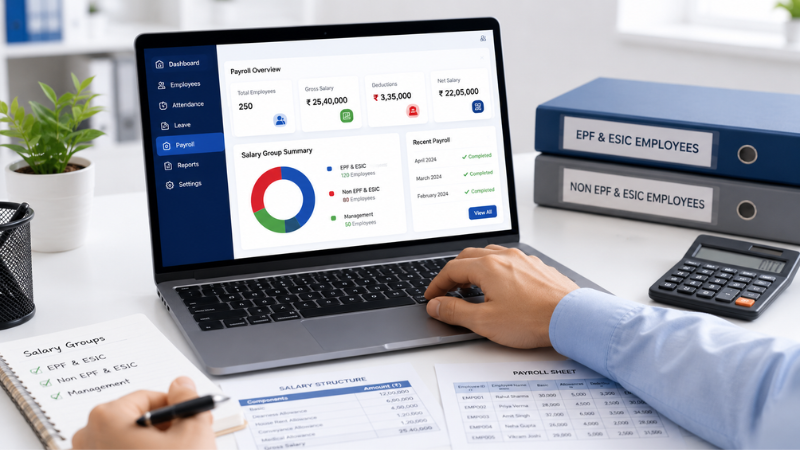
After salary generation, payroll teams often need to review salary information and generate reports.
Reports can help HR and finance teams review:
- Employee salary details
- Salary components
- Allowances
- Deductions
- Payroll totals
- Group-wise information
- Other payroll data
PAYDAY provides payroll reporting capabilities that can help businesses review generated salary information.
This makes payroll processing more transparent and easier to monitor.
How PAYDAY Uses Salary Groups for Payroll Management
PAYDAY Payroll provides Salary Group Assignment to help businesses organize employees according to their applicable salary structures and payroll configurations.
For example, organizations can categorize employees based on their relevant EPF, ESIC and other payroll requirements, according to their policies and applicable statutory rules.
PAYDAY can then bring this information together with other payroll-related processes such as:
- Employee Management
- Salary Groups
- Salary Components
- Allowances
- Deductions
- Attendance
- Leave
- Overtime
- Arrears
- Bonuses
- Payroll Generation
- Payroll Reports
- Audit-related information
This creates a connected payroll workflow instead of treating salary processing as a single isolated activity.
Example of Salary Group-Based Payroll Processing
Consider a company with different categories of employees.
Step 1: Create Salary Groups
The organization defines salary groups based on its payroll structure and applicable requirements.
Step 2: Assign Employees
Employees are assigned to the appropriate salary group.
Step 3: Maintain Employee Information
HR keeps employee and salary information updated.
Step 4: Track Attendance and Leave
Attendance, leave and overtime information are maintained according to company policies.
Step 5: Process Salary
The payroll system uses the relevant employee salary configuration during salary generation.
Step 6: Review Payroll
HR or payroll teams review salary calculations, deductions and reports before completing the payroll cycle.
This process creates a repeatable structure for monthly payroll management.
Benefits of Salary Group Management in Payroll
Better Employee Classification
Employees can be organized according to relevant payroll structures.
Consistent Salary Processing
Similar employee categories can follow predefined salary configurations.
Less Repetitive Work
Payroll teams don't need to repeatedly configure similar information for every employee.
Better Payroll Organization
Salary groups provide a structured way to manage different employee categories.
Easier Payroll Review
Group-based organization can make it easier to review employee salary information.
Better Connection with HR Data
Salary groups can work alongside employee management, attendance and leave information.
Best Practices for Managing Salary Groups
Businesses should establish clear rules for creating and maintaining salary groups.
Define Groups Clearly
Create salary groups based on actual salary structures and organizational requirements.
Review Employee Assignments
Regularly verify that employees are assigned to the correct group.
Keep Salary Information Updated
Salary changes, promotions, transfers and other employee changes should be reflected in the relevant records.
Review Statutory Applicability
EPF, ESIC and other statutory requirements should be reviewed according to applicable laws and employee eligibility.
Check Payroll Before Finalization
Payroll teams should review salary calculations, deductions and reports before finalizing the payroll cycle.
Frequently Asked Questions
What is salary group assignment in payroll?
Salary group assignment is the process of categorizing employees according to similar salary structures or payroll requirements so that relevant configurations can be managed more systematically.
How do salary groups help payroll processing?
Salary groups organize employees with similar payroll configurations, reducing repetitive setup and helping payroll teams manage salary processing more consistently.
Can salary groups be used for EPF and ESIC employees?
Yes, organizations can use appropriate salary groups to organize employees according to their applicable EPF, ESIC and other payroll configurations, subject to employee eligibility and applicable statutory rules.
Can attendance and leave affect salary processing?
Yes. Depending on company policies, attendance, leave and overtime information can be relevant to salary calculations.
What is the benefit of using payroll software?
Payroll software can bring employee information, salary structures, attendance, leave, deductions, payroll calculations and reports into a more organized digital workflow.
Conclusion
As businesses grow, managing different employee salary structures can make payroll increasingly complex. Employees may have different allowances, deductions, salary configurations and statutory applicability.
Payroll software with salary group management provides a structured way to organize these differences.
By assigning employees to appropriate salary groups, businesses can create a more consistent process for managing salary structures and payroll configurations. When combined with Employee Management, Attendance, Leave, Overtime, Allowances, Deductions, Arrears, Bonuses and Payroll Reports, salary group assignment becomes part of a connected payroll workflow.
PAYDAY helps businesses manage these payroll activities through an integrated HR and payroll environment, making it easier to organize employees and process salaries according to their applicable configurations.
Organize Salary Structures and Manage Payroll with PAYDAY
Assign the right salary group, connect employee data with payroll and manage salary processing through one integrated platform.


